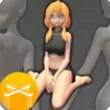
Easy Poser APK is a popular mobile app for artists, comic artists, and beginners who want to easily create human poses. It helps users design characters using pre-made 3D models and various body positions. Instead of using wooden dummies or searching for pose templates online, users can create their own poses directly on their smartphone or tablet.
This app is user-friendly and great for sketching, manga drawing, animation ideas, and character design.
What is Easy Poser APK
Easy Poser is a 3D posing app that allows users to move virtual human models into various positions. Artists can rotate body parts, change camera angles, zoom in and out, and create realistic poses as drawing templates.
The APK version is an Android installation file that allows users to manually install the app on their device. Many users download the APK to use the latest version before it is available in the app store.
This app is often used by:
- Digital artists
- Manga artists
- Animation beginners
- Students learning life drawing
- Comic artists
Gamers
While Easy Poser is not a traditional game, it offers an interactive experience that feels like a creative simulation.
Users can:
- Select a male or female 3D model
- Move arms, legs, head, and body parts
- Create action, sitting, or fighting poses
- Use multiple characters in a scene
- Add light and shadow
Change the viewing angle for better reference
The controls are very simple and user-friendly, even for beginners. Anyone can create professional-looking poses in minutes.
Easy Poser APK Features
1. Realistic 3D Models
This app provides detailed models of the human body with realistic movements and textures.
2. Easy pose controls
Users can easily move and rotate body joints using drag and drop - no complicated settings required.
3. Multiple characters
Create group poses or action scenes by adding multiple characters to a scene.
4. Camera control
This app lets you zoom, rotate, and adjust the camera angle as you wish.
5. Various pose presets
Easy Poser provides numerous pre-made poses for quick inspiration and easy use.
6. Lighting effects
Add light and shadow effects to enhance your drawing.
7. Ideal for artists
This app helps artists save time studying body structure and figure drawing.
8. Simple User Interface
Thanks to its clean and simple design, this app is perfect for beginners.
What's new in the new version
The new version of Easy Poser includes numerous improvements and updates, including:
- Improved model movement control
- Optimized app performance
- Bug fixes and stability improvements
- New pose templates
- Improved lighting and shadow options
- Simplified camera control
- Improved compatibility with new Android devices
These updates make it easier for users to create poses and enhance the overall user experience.
Here's how to download and install Easy Poser APK:
Step 1: Download the APK file
- Visit a trusted APK website or official app store and download the new Easy Poser APK file.
Step 2: Allow installation from unknown sources
- Settings > Security > Install unknown apps
- Enable this permission for your browser or file manager.
Step 3: Find the APK file
- Open your Downloads folder and find the Easy Poser APK file.
Step 4: Install the app
- Tap the APK file and then tap "Install".
Step 5: Open the app
- After installation, open the app and create a pose.
Conclusion
Easy Poser is a very useful app for artists and beginners who want to improve their drawing skills. Realistic 3D models, ease of use, and helpful posing tools make it one of the best posing reference apps for Android users.








